Built by safety professionals, for the field
Jobsite safety compliance, without the paperwork.
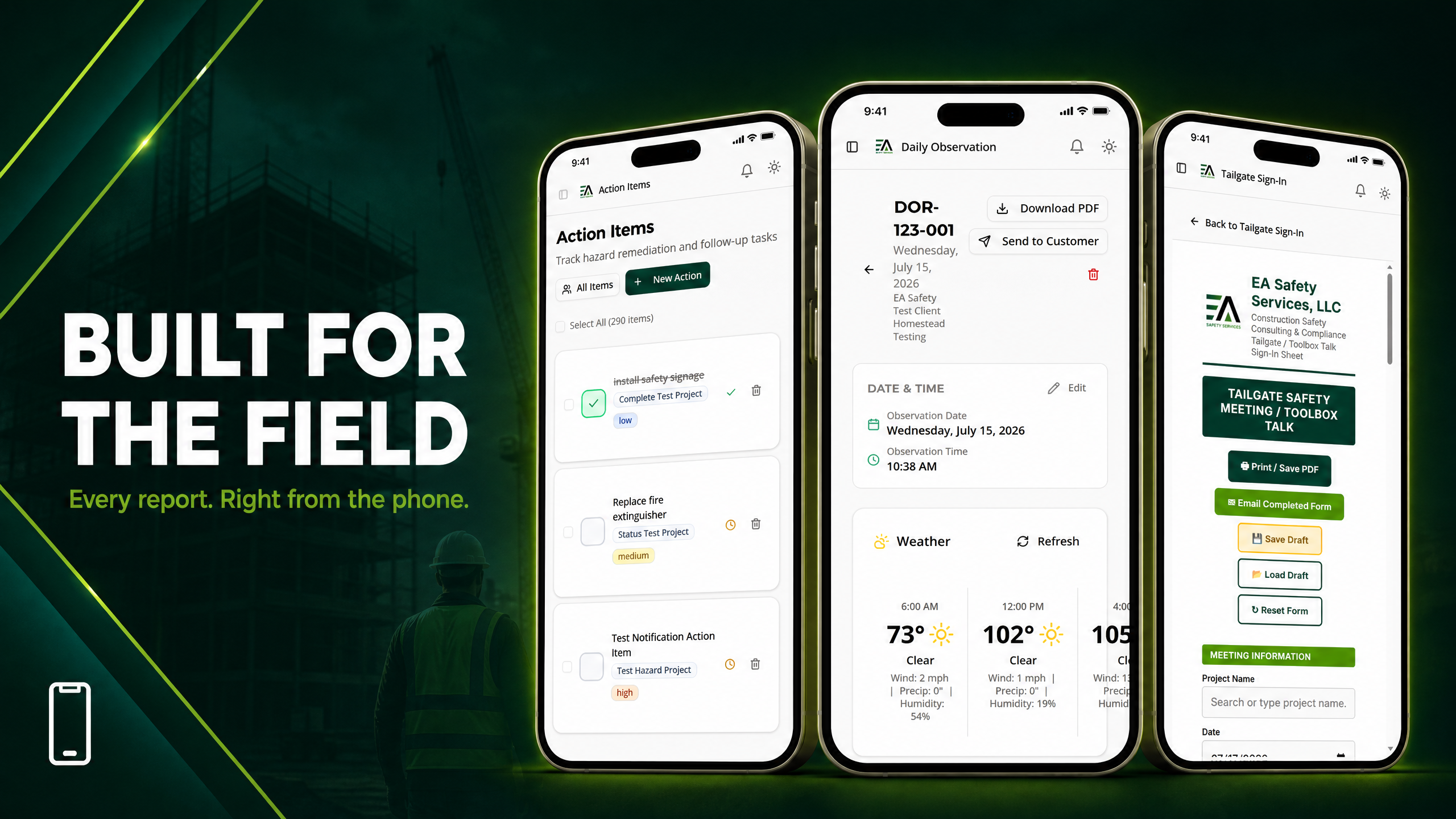
Inspections, JHAs, tailgate meetings, incident reports, and time tracking — documented from your phone and delivered as professional, client-ready PDF reports with your company's branding.
Start Your 7-Day Free Trial →No credit card required · Set up in under 2 minutes · Cancel anytime
Client-ready PDF reports
100+ bilingual tailgate topics

AI hazard detection

Role-based crew access
Everything your safety program needs. In one app.
Stop juggling paper forms, spreadsheets, and camera rolls. Every safety task your crew performs becomes clean, professional documentation — automatically.
Site Inspections
Complete digital jobsite inspections from your phone with photos, findings, and corrective actions — then send a polished PDF report in one tap.

JHAs + AI Assist
Build Job Hazard Analyses fast. Describe the task and let AI draft hazards and controls for you to review, edit, and approve.

Tailgate Meetings
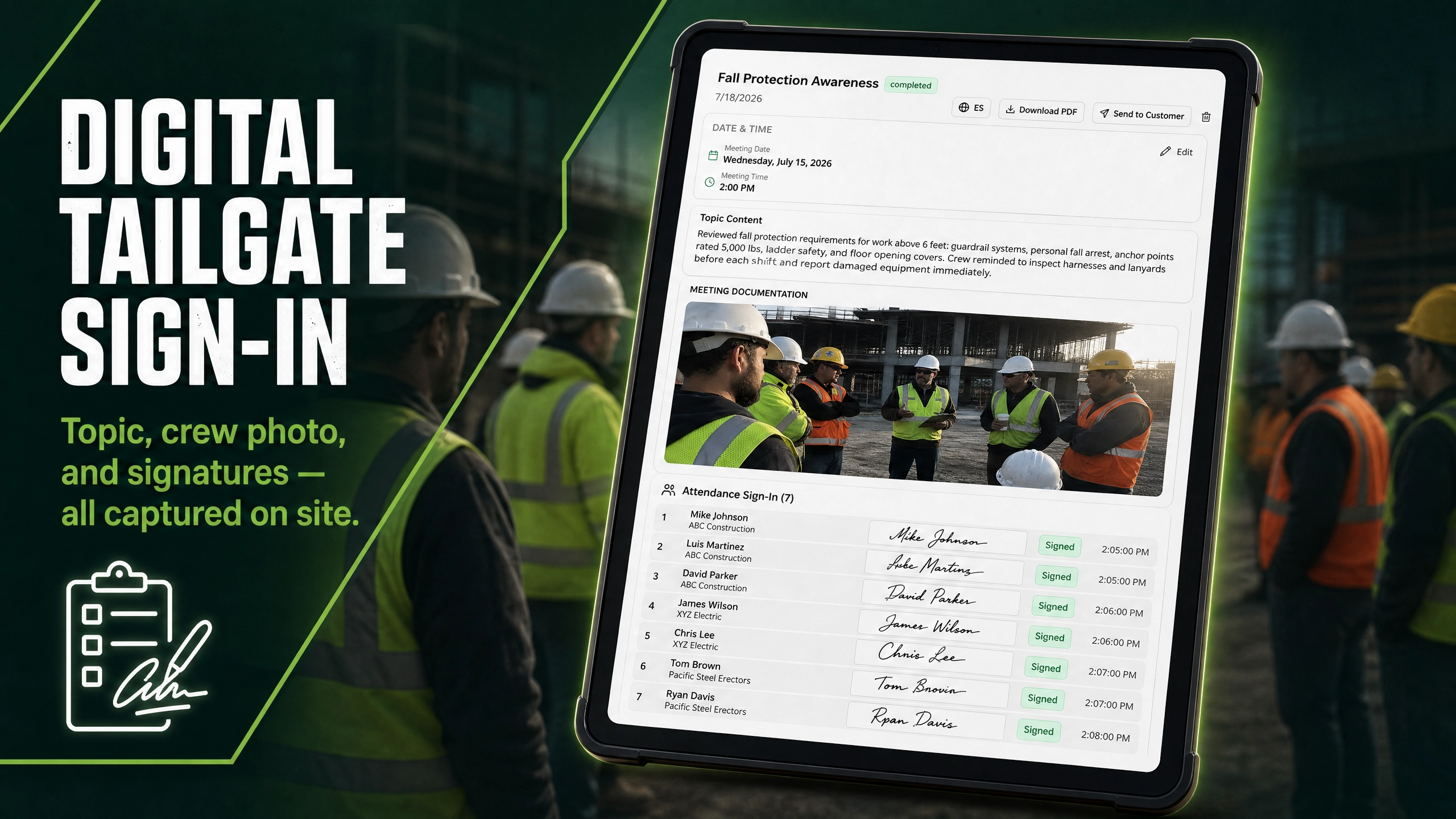
Run and document toolbox talks with a built-in library of 100+ safety topics in English and Spanish, with digital crew sign-in sheets.

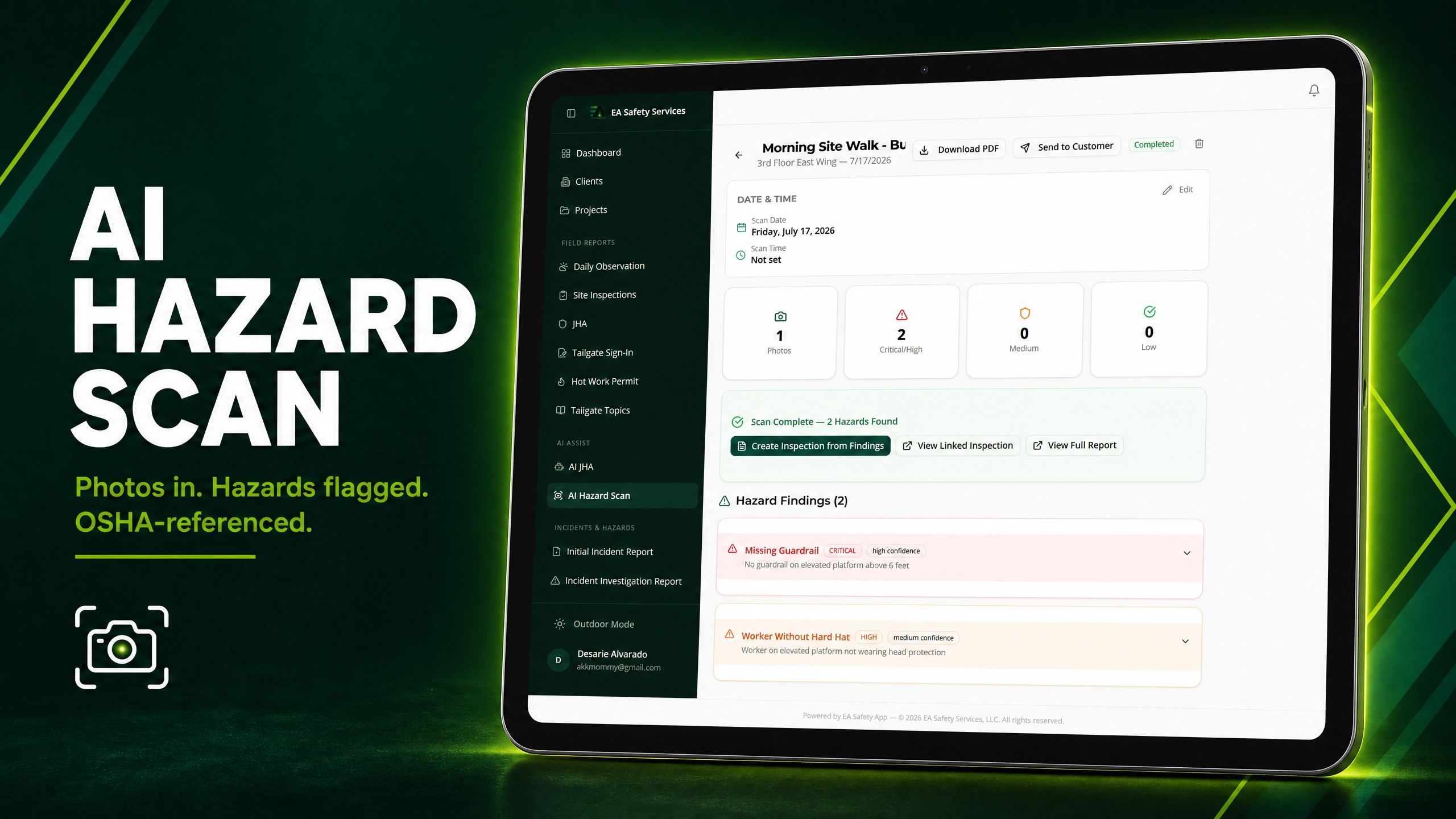
AI Hazard Scan
Snap a photo of the jobsite and AI flags potential hazards with suggested OSHA references — a second set of eyes on every walk.

Incident Reporting
Capture initial incident reports, full investigations, witness statements, and injury body diagrams while details are still fresh.
Action Item Tracking
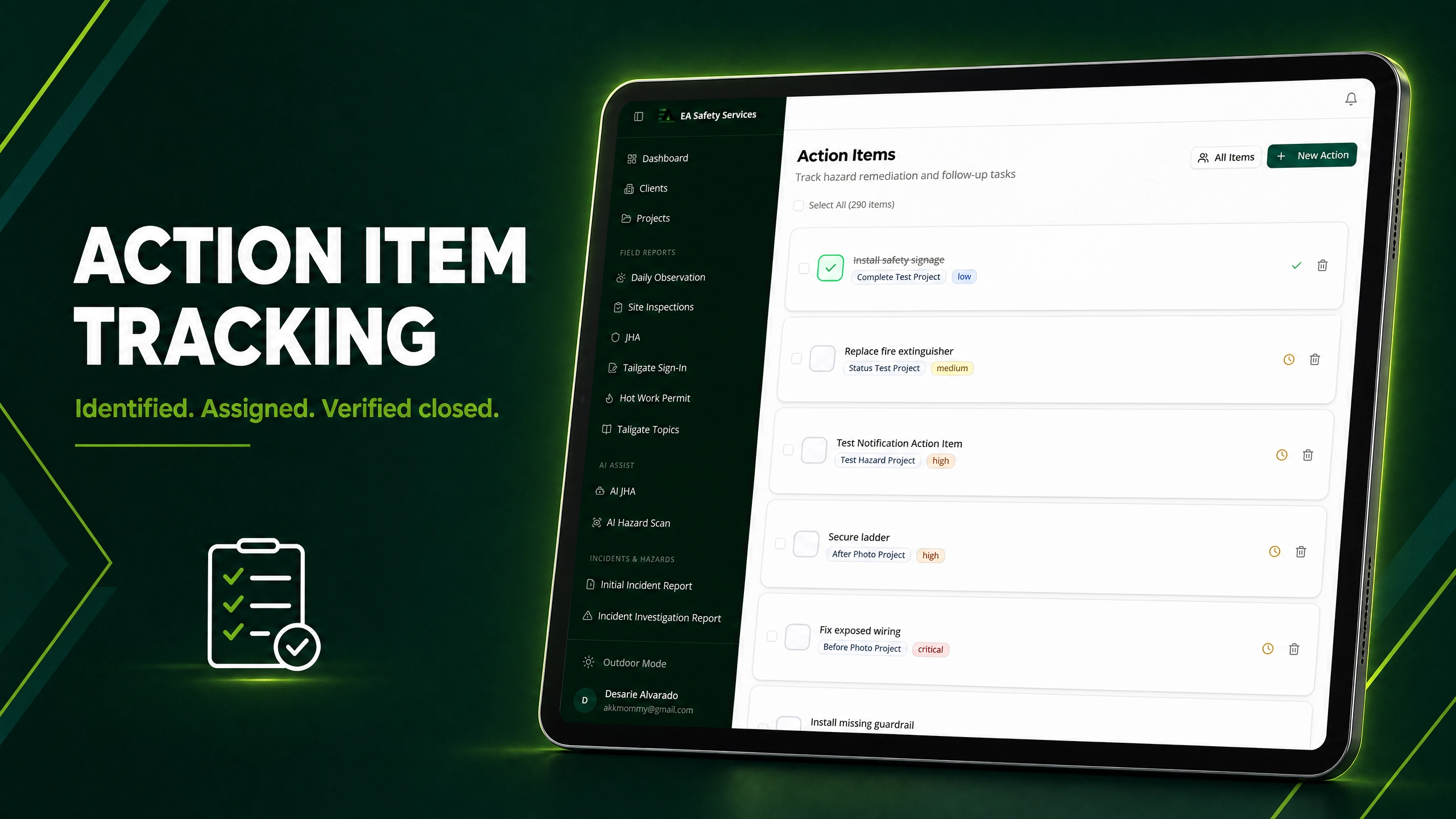
Every finding becomes a trackable action item with owners, due dates, photo verification, and automatic overdue reminders.

Time Tracking
GPS-verified clock in/out for field crews, weekly timesheets, and forgot-to-clock-out alerts — built for construction payroll.

Branded PDF Reports
Every inspection, JHA, and incident report generates a professional PDF with your logo — emailed straight to your client.

Your Brand, Everywhere
Upload your logo and brand color once. The app, reports, and client emails all carry your company identity — not ours.

Project Analytics
Track inspection trends, safety scores, and corrective action follow-through by project — plus an on-demand AI summary that turns the numbers into plain language.
Take a closer look
Six parts of the app, each explained the way it actually gets used on a job.
Daily Reports and Inspections
The daily report and the site inspection, written on the job and emailed before the crew gets back to the truck.
Corrective Actions
A finding, the subcontractor who fixed it, and a closeout certificate carrying both photographs.
Equipment
The operator scans a sticker on the machine, completes the check and signs. No app and no account.
Time, Payroll and Billing
Clock in inside a geofence, California overtime done properly, and an invoice that matches the hours.
Environmental Compliance
Water logs, LEED waste diversion and SWPPP inspections, recorded on the day by the people doing the work.
Forms and Permits
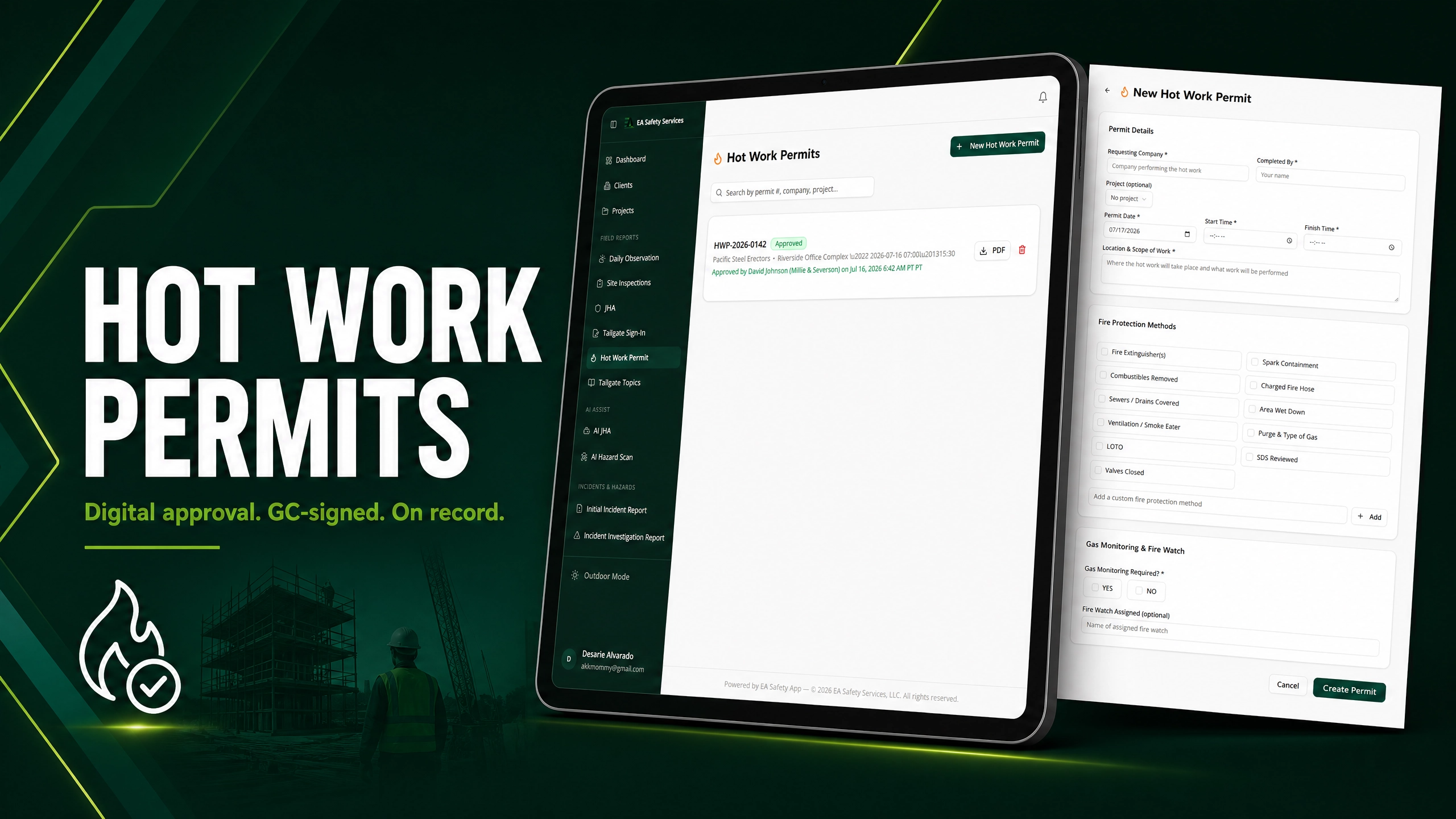
Fifty three forms and four permits, filled in and signed on a phone by people who have no account.
How It Works
From signup to your first branded report in one afternoon.

Start your free trial
Sign in, enter your company name, and optionally add your logo and brand color. You are in the app in under two minutes — no credit card required.
Add your projects and crew
Set up clients, jobsites, and team members with role-based access. Field users see a simplified mobile view built for gloves-on work.
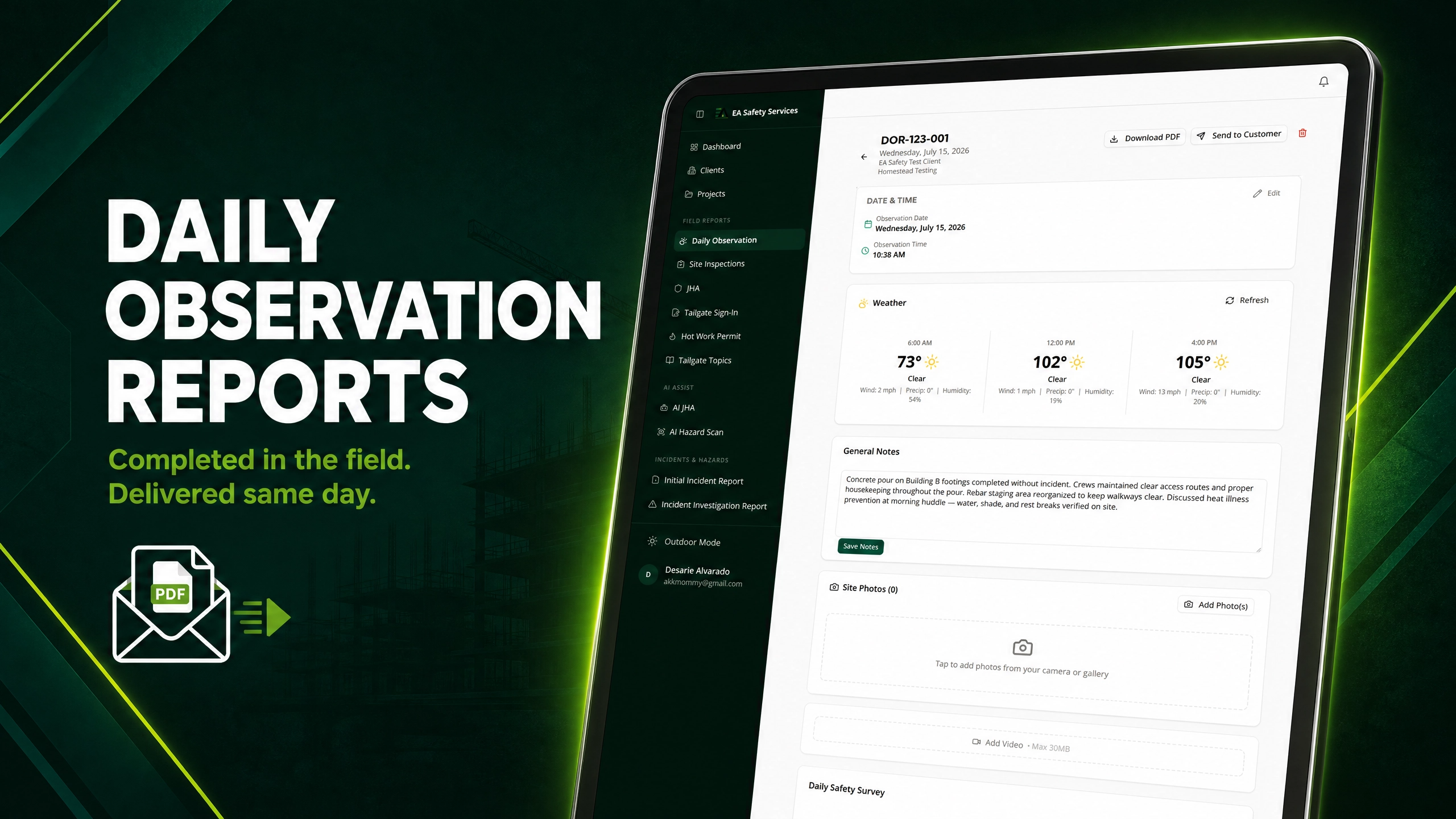
Document from the field
Inspections, tailgates, JHAs, incidents, and time tracking — all from a phone. Reports become branded PDFs your clients take seriously.
Safety software priced for a contractor, not a software company
Every plan includes the whole safety program: daily reports, inspections, permits, incidents, corrective actions and the full forms library. The bigger plans add your people, your equipment and your compliance paperwork.
A safety consultant or a small contractor running their own program.
- Every report type and every inspection
- Permits, incidents and corrective actions
- All 53 fillable forms
- AI hazard scans and job hazard analysis
- Works with no signal
- Subcontractors need no account

Up to 25 people. A contractor who needs to know who was on site, and when.
- Everything in Starter
- GPS clock in and out, with a geofence per job
- Payroll export with California overtime
- Equipment register and QR pre-use checks
- Mileage, credentials and the review queue
- Your client's own branding on their sheets
Up to 75 people. A general contractor whose paperwork is audited.
- Everything in Team
- Construction waste logs built for a LEED reviewer
- Dust control water logs
- SWPPP stormwater inspections
- AIA billing export and forward projections
- Weekly equipment summaries and missed-check alerts
Unlimited people. A company that puts its own name on the work.
- Everything in Business
- White label: your name on every report, ours nowhere
- API access for pulling your own data
- Unlimited users on every job
Every plan includes a 7-day free trial. No card needed to look.
Prices are per month. Annual billing saves 17%, or 26% on Starter.
What Each Plan Includes
Compare features and find the right solution for your team.
| Features | Starter | Team | Business | Enterprise |
|---|---|---|---|---|
| Daily observation reports | ✓ | ✓ | ✓ | ✓ |
| Site safety inspections, 73 questions with Cal/OSHA citations | ✓ | ✓ | ✓ | ✓ |
| Fire and demolition inspections | ✓ | ✓ | ✓ | ✓ |
| Corrective actions and closeout certificates | ✓ | ✓ | ✓ | ✓ |
| Subcontractors respond with no account | ✓ | ✓ | ✓ | ✓ |
| Tailgate sign-in, including guest sign-in by QR | ✓ | ✓ | ✓ | ✓ |
| Permits: hot work, excavation, confined space, guardrail | ✓ | ✓ | ✓ | ✓ |
| Incidents, investigations and body diagrams | ✓ | ✓ | ✓ | ✓ |
| All 53 fillable forms | ✓ | ✓ | ✓ | ✓ |
| AI hazard scans, JHA and suggested corrective actions | ✓ | ✓ | ✓ | ✓ |
| Jobsite QR sheet, English and Spanish | ✓ | ✓ | ✓ | ✓ |
| Works with no signal | ✓ | ✓ | ✓ | ✓ |
| Nightly backups and point-in-time recovery | ✓ | ✓ | ✓ | ✓ |
| GPS clock in and out, geofence per job | — | ✓ | ✓ | ✓ |
| Payroll export with California overtime | — | ✓ | ✓ | ✓ |
| Equipment register and QR pre-use checks | — | ✓ | ✓ | ✓ |
| Mileage, employee credentials, review queue | — | ✓ | ✓ | ✓ |
| Your client's branding on their sheets | — | ✓ | ✓ | ✓ |
| Restrict a third-party inspector to named jobs | — | ✓ | ✓ | ✓ |
| Construction waste logs for LEED | — | — | ✓ | ✓ |
| Dust control water logs | — | — | ✓ | ✓ |
| SWPPP stormwater inspections | — | — | ✓ | ✓ |
| AIA billing export and projections | — | — | ✓ | ✓ |
| Weekly equipment summaries and missed-check alerts | — | — | ✓ | ✓ |
| White label, no software branding on your reports | — | — | — | ✓ |
| API access | — | — | — | ✓ |
| People included | Unlimited, billed each | Up to 25 | Up to 75 | Unlimited |
← Swipe horizontally to compare all plans →
Not ready to start a trial?
Get our free Jobsite Safety Checklist — straight to your inbox.
Prefer to talk it through? Contact us for more details.
Frequently asked questions
Do I need a credit card to start?
Can I cancel anytime?
Will my crew actually use it?
Do my subcontractors need accounts?
Do subcontractors count against my user limit?
Does it work where there is no signal?
Is this built for California, or is it generic OSHA?
Is it really bilingual, or just the menus?
How long does it take to get going?
Will the reports look like they came from us?
What counts as a user?
What happens if we outgrow a plan?
Can another customer see our data?
What happens to our records if we leave?
Your next inspection could be your last paper form.
Join contractors documenting safety the modern way — branded, digital, and done from the field.
Start Your Free Trial →EA SAFETY SERVICES
SAFETY | RISK | COMPLIANCE | TRAINING